








Computer Classes

LinkedIn Learning
LinkedIn Learning is a premier online learning resource covering technical skills, creative techniques, business strategies, personal finance, and more.
These courses are similar to the in-person courses offered at the library. After following the link, select Sign in with your library card. Then enter the Library ID, which is mpl. Then log in with your Library Card Number and PIN.
Program Descriptions
Please see our Events Calendar for upcoming classes.
Amazing, Free Design Tools
Finding high quality images, fonts, and other design elements for presentations and projects has never been easier. Join me to learn where you can get these elements and how to apply them to your school or work projects.
- High Quality Images and Videos
- Finding and installing fonts
- Icons and Other Objects
- Presentation Templates
Computer Basics
Teaches the most basic skills needed to operate a Library computer:
- Using a mouse
- Knowing certain terminology like Desktop, Icons, Menu, Taskbar, Toolbar, etc.
- Opening a program
- Saving a document
This class is intended for beginners and assumes no prior knowledge of computer use. It is a good introduction to other computer classes offered by the Library.
Facebook 101
Introduces the basic layout and functions in Facebook:
- Signing up
- Adding Friends
- Making status updates
- Adding pictures
- Privacy settings
Before participating in this class, trainees should be able to use a mouse, follow a link, type an Internet address into the Address Bar, and type information into a Text Box.
Gadget Lab
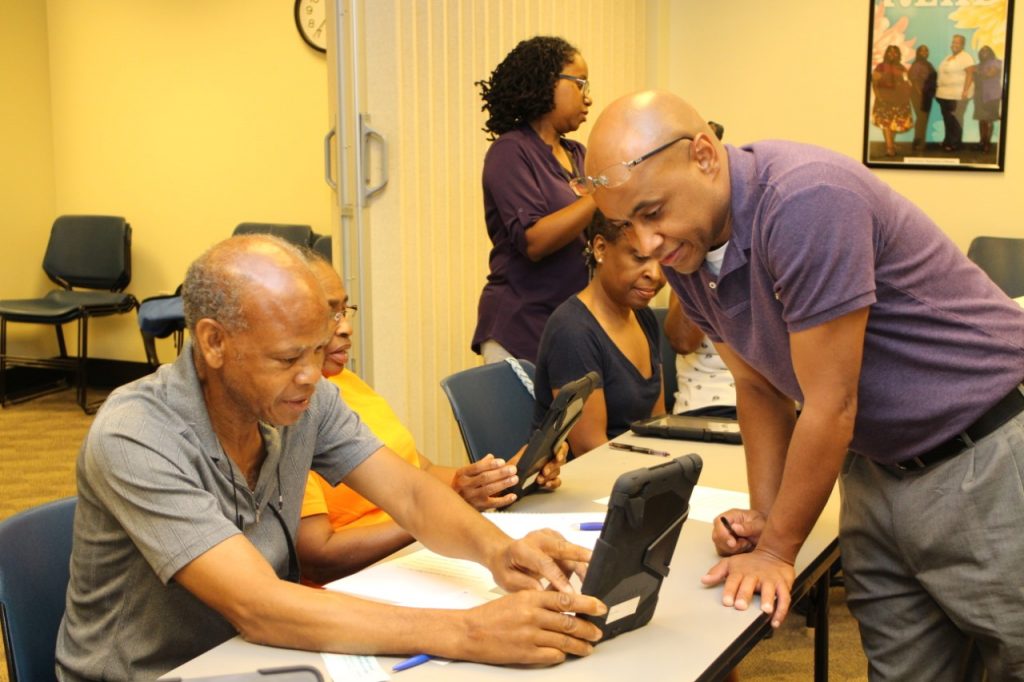
Bring your tablet or smart device and receive one-on-one assistance in accessing the Library’s digital services.
- Located in the main lobby near the entrance to the Children’s department
- Ensure device is charged
- Have you account usernames and passwords with you
Getting Started with Microsoft© Word
Explains the basic functions of word processing via Microsoft Word 2010:
- Formatting text
- Aligning paragraphs and changing line spacing
- Cut, Copy, & Paste and Undo/Redo
- Saving documents
Before participating in this class, trainees should be able to use a mouse.
Getting Started with Microsoft Excel
Participants will learn the basic functions available in Microsoft Excel 2010, including:
- Learn to create, open, and save workbooks
- Learn to enter values into cells
- Learn how to edit and format values
- Learn how to format spreadsheets
- Learn how to sort data
- Learn to utilize basic formulas
An Introduction to Canva
Join us for an exploration of Canva.com, an online resource which allows you to create professional and vibrant digital content you can use in school or professional settings. Canva is easy to use and features templates and guides for all kinds of digital content, including presentations, posters, logos, résumés, infographics, and much more. Users can open free accounts and get started creating content right away.
Learning with Lynda.com
Lynda.com is a technology and business learning database with over 5,ooo complete, high quality, online video courses taught by leading experts in their respective fields. Lynda.com allows learners to work independently, either in the library or at home, simply by using your library card. In this course you will learn how to:
- Create an account
- Search the learning database
- Utilize the player and transcript features
- Create and access playlists
- Earn Certificates
- Manage your course history
Before participating in this class, trainees should be able to use a mouse, follow a link, type an Internet address into the Address Bar, and type information into a Text Box.
Searching the Internet with Google Chrome©
Explains how to find information on the World Wide Web:
- Typing an Internet address into the Address Bar
- Clicking on and following links
- Using the Google search engine for basic searches
- Understanding the layout of a search engine results page
- Evaluating information found on the Internet
Before participating in this class, trainees should be able to use a mouse.
Techy Seniors – Android Tablet Basics
Learn the basic functions of tablets using the Android operating system. Participants will explore settings, and learn the following basic functions:
- Connect to wi-fi
- Browse the Internet
- Add and delete apps
- Organize the home screen
- Use the camera
Techy Seniors – iPad Tablet Basics
Learn the basic functions of tablets using the iOS operating system. Participants will explore settings, and learn the following basic functions:
- Connect to wi-fi
- Browse the Internet
- Add and delete apps
- Organize the home screen
- Use the camera
Working with Online E-Mail
Introduces the basic concepts behind Web-based e-mail:
- Composing an e-mail
- Typing an e-mail address
- Replying, Forwarding, or Deleting e-mail messages
- Reviewing a typical sign-up process
Before participating in this class, trainees should be able to use a mouse, follow a link, type an Internet address into the Address Bar, and type information into a Text Box.